
AI Guides
AI Research Workflow: From a Question to a Checked Evidence Table
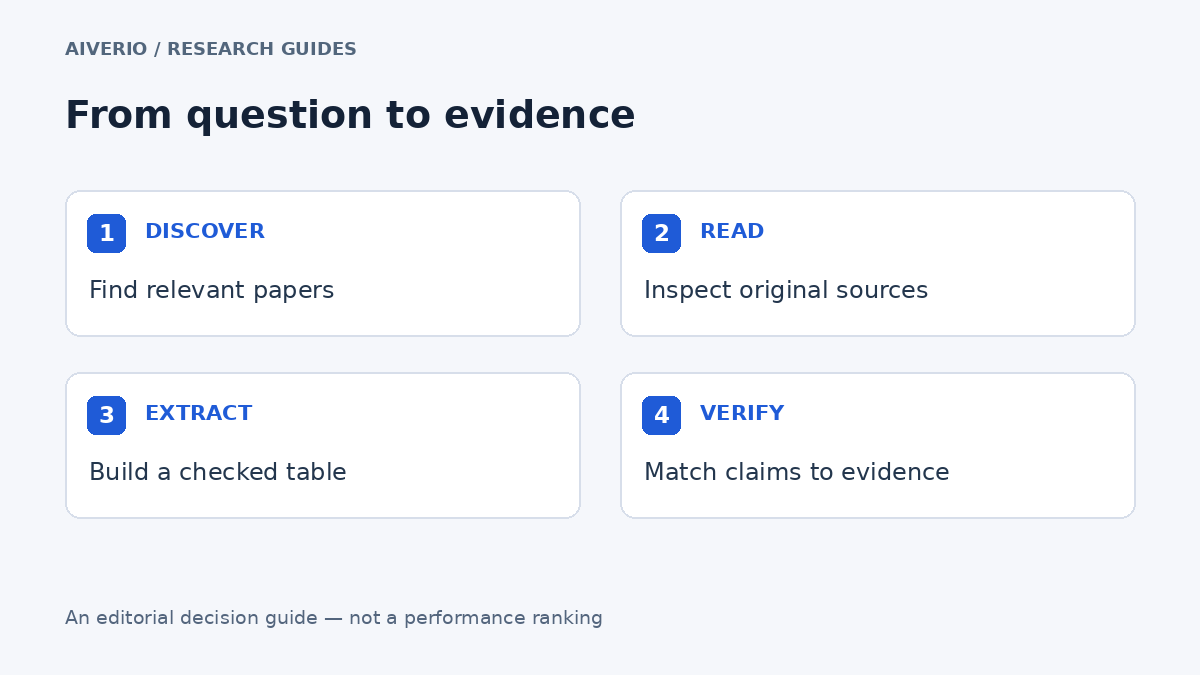
A productive AI research workflow ends with evidence you can inspect. It does not end with the longest generated answer. The approach below separates finding papers, reading them, extracting observations and checking the final claims. Use it for a focused research brief or an early literature map; a formal systematic review needs its own protocol and reporting requirements. For tool-specific comparisons, see Elicit vs Consensus and the guide to verifying AI-generated citations.
Start with the decision, not the tool
Write one sentence describing what the research needs to decide. “Understand remote work” is too broad. “Identify how recent studies measure collaboration in hybrid teams” gives you an outcome, a context and a reason to exclude irrelevant material. Define the population or setting, the phenomenon, the publication window and what will count as a useful result. Keep that scope visible as the search expands.
Assign a job to each stage
| Stage | Deliverable | Potential tool role |
|---|---|---|
| Discover | A shortlist with identifiers and reasons for inclusion | Evaluate Elicit or Consensus for your question. |
| Read | Source-linked notes on methods and results | Evaluate SciSpace on the papers you can access. |
| Extract | One consistent evidence row per study | Use a structured table, with human checks. |
| Investigate context | Notes about how later work discusses the claim | Evaluate Scite citation reports. |
| Write | Claims whose wording matches the evidence | Draft from the checked table rather than memory. |
These are editorial workflow suggestions, not a ranking. Official product pages describe Elicit’s research and extraction features, Consensus academic search, SciSpace PDF assistance and Scite citation features. Coverage and actual usefulness will differ by project.
Build the evidence table before drafting
A simple table forces you to preserve details that prose summaries often lose. Use one row per study, not one row per AI answer. If two papers report the same underlying dataset, flag that relationship rather than treating them as independent confirmation.
| Column | What to record |
|---|---|
| Identifier | DOI or stable source link, plus title and year. |
| Question and design | What was investigated and how. |
| Sample or data | Who or what was analyzed, including the relevant denominator. |
| Finding | The reported result, with units and source location. |
| Limitations | Constraints reported by the authors and separate reviewer notes. |
| Verification | Checked, unresolved or excluded, with a reason. |
Use prompts that expose missing information
Try: “Extract the study design, analyzed sample, outcome and main result. Give a page or section for each field. Write ‘not reported’ when the source does not state it. Do not infer missing numbers.” Run the prompt on a small sample first. If the model confuses the paper’s introduction with its own results, tighten the instruction and review every affected row.
Resolve disagreement instead of averaging it away
When studies disagree, compare their questions and measurements before merging their conclusions. Different time periods, populations and outcome definitions may explain the difference. Keep a disagreement note in the table. If you cannot resolve the reason, say so in the final brief. A qualified conclusion with traceable evidence is more useful than artificial consensus.
Finish with a claim audit
Underline every factual sentence in the draft that depends on research. Locate its supporting row and original passage. Check that the sentence does not turn an association into a causal claim, a small sample into a universal rule, or a short observation period into a lasting effect. Remove citations that are relevant to the topic but do not support the actual wording.
How to keep the workflow efficient
- Pilot five papers before processing a large collection.
- Reuse the same field definitions throughout the project.
- Track correction time as well as generation time.
- Save search wording, dates and inclusion decisions.
- Revisit unresolved entries before the brief is approved.
Run the workflow in 30 minutes
For a small research task, you can turn the framework above into a repeatable pilot instead of trying to process a large literature set at once.
- 5 minutes: write the research question, inclusion rules and the exact claim you need to support.
- 10 minutes: find 5 relevant papers and record DOI, year and reason for inclusion.
- 10 minutes: extract the same fields from each paper and mark every missing value as “not reported.”
- 5 minutes: audit the final claims against the original passages and flag anything unresolved.
Keep the first pilot small enough that a person can check every row. Once the extraction format is stable, scale the collection rather than changing the fields midway. For tool-specific stages, see Aiverio’s Elicit vs Consensus comparison, Scite vs SciSpace comparison, and AI citation verification guide.
Common failure points
- Search drift: the question changes after results appear, making inclusion inconsistent.
- Field drift: extraction columns change between papers and make later comparison unreliable.
- Source drift: an AI summary is retained while the original passage is no longer traceable.
- Duplicate evidence: several publications are treated as independent when they reuse the same data.
- Confidence inflation: fluent output is mistaken for verified evidence.
Keep these failure modes visible in the project notes. A smaller checked table is more useful than a large table whose rows cannot be traced back to their sources.
Frequently asked questions
Do I need four subscriptions? No. Start with the missing stage in your current workflow. A reference manager, spreadsheet and careful source reading may already cover much of the process.
Is this a systematic-review protocol? No. It is a practical evidence-management workflow. Do not present a quick AI-assisted search as an exhaustive review.
Related Aiverio research guides
Elicit: features and research workflows · Consensus: academic search and limitations
Editorial basis: official product documentation and original workflow analysis. Sources checked September 14, 2026. No hands-on accuracy benchmark or numerical rating is claimed.


