
Automation
Make Error Handling Guide: Retries, Incomplete Executions & Recovery (2026)
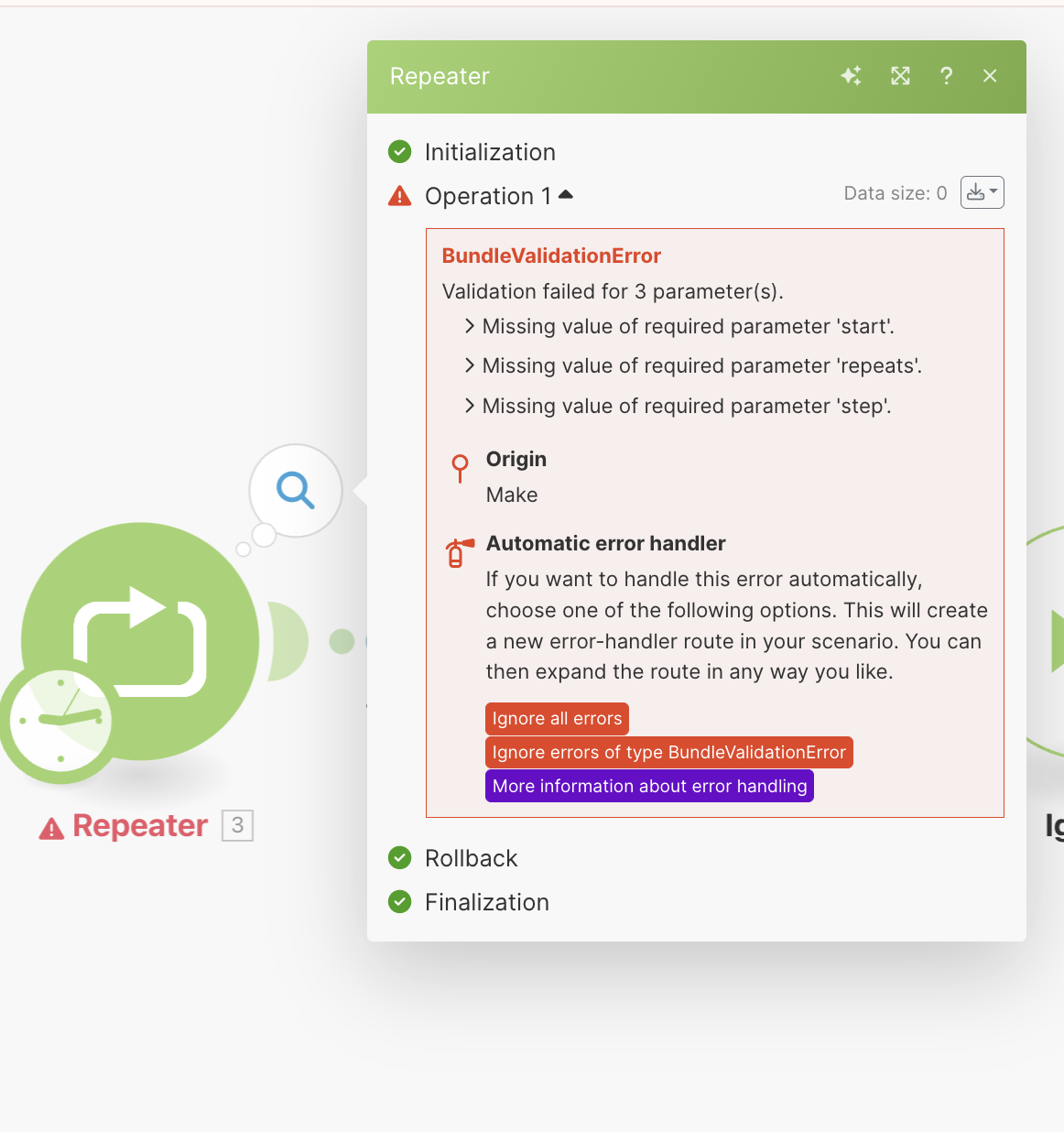
Reliable automation is not just about connecting apps. A production workflow also needs a plan for what happens when an API times out, a database rejects a record, a rate limit is hit, or one bundle contains bad data.
This guide explains a practical error-handling workflow for Make in 2026, with a focus on retries, incomplete executions, recovery, and safer scenario design.
Why Make error handling matters
A scenario can work perfectly in testing and still fail in production because real-world data is messy and external services are not always available. The goal of error handling is not to hide failures. It is to decide which failures should be retried, which should be isolated, which should stop the scenario, and which require human review.
A good recovery design protects three things: data integrity, workflow continuity and observability.
Understand the failure before choosing a handler
Start by classifying the failure. Temporary errors and permanent data errors should not be treated the same way.
- Temporary service failure: connection timeout, short outage, transient API issue.
- Rate limiting: the destination rejects requests because too many were sent in a short period.
- Validation failure: required data is missing or malformed.
- Authorization failure: credentials expired or permissions changed.
- Business-rule failure: the API is technically healthy, but the record is not allowed.
If you retry every error blindly, you can create loops, duplicate writes and wasted operations. If you stop every scenario on the first failure, you can turn a single bad record into a full automation outage.
What the Retry error handler is for
Make’s current documentation positions the Retry error handler as a way to pause a failed bundle, preserve the error and mapped data, and retry the incomplete work later instead of simply losing the bundle or terminating everything.
This is most useful when another attempt has a realistic chance of succeeding. Examples include a temporary database outage, an upstream service recovering after a short delay, or a dependency that becomes available later.
Enable incomplete executions when recovery matters
Make uses incomplete executions to preserve failed work so it can be resolved later. According to Make’s help documentation, the Retry error handler depends on incomplete executions being enabled for the scenario.
Think of an incomplete execution as a recovery queue. Instead of discarding the failed state, Make keeps the context needed to try again or finish the work manually.
Automatic retry vs manual recovery
Use automatic retry when the problem is probably temporary and repeated attempts are safe. Use manual recovery when retrying could cause duplicate actions, financial impact, customer-facing side effects or another irreversible change.
For example, automatically retrying a read request is usually lower risk than automatically retrying a payment capture or duplicate CRM creation step.
A practical retry pattern
- Receive or fetch the source data.
- Validate critical fields before the risky module.
- Call the external service.
- If the module fails with a recoverable error, route it to Retry.
- Store the failed bundle as an incomplete execution.
- Retry after a delay or resolve it manually.
- Only continue downstream steps after the critical write succeeds.
This makes the point of failure explicit and prevents a success notification from being sent before the underlying action actually worked.
Do not retry permanent validation errors forever
If a record fails because a required value is missing, waiting 15 minutes will not create the missing value. Retries are not a substitute for validation.
For known data-quality problems, validate early and route the record to a review path. That can be a data store, spreadsheet, ticket, Slack channel or another system where a human can correct the input.
Design for idempotency
An idempotent operation can safely be attempted again without producing duplicate side effects. This matters because retries can repeat a request after the original system processed it but the response was lost.
Whenever possible, use a stable external ID, order ID, message ID or source-record key. Before creating a new record, search for the key. If it already exists, update or skip instead of creating a duplicate.
Handle rate limits separately from bad data
Rate-limit errors normally call for pacing, queuing or waiting. Bad data calls for correction. Mixing those two categories creates noisy recovery queues.
Make’s documentation notes that some common temporary failures such as connection and rate-limit errors can be retried automatically when incomplete executions are enabled, depending on the scenario behavior and error type. Review current Make settings before relying on this for a critical workflow.
Add observability, not just handlers
A scenario that catches every error silently can be more dangerous than a scenario that fails visibly. You still need a way to know that something went wrong.
For important workflows, record the scenario name, failed module, record or bundle identifier, error message, timestamp, retry count and final resolution.
Build a dead-letter workflow for repeated failures
If a bundle fails after your acceptable retry window, move it to a separate review path instead of retrying forever. In messaging systems this pattern is often called a dead-letter queue.
In Make, the implementation can be simple: write the failed record and context to a dedicated data store, database or sheet, then notify the owner. The important part is that repeated failure becomes visible and actionable.
Use webhooks carefully
Webhook-triggered scenarios can be especially sensitive because the sender may expect a quick response. Decide whether the sender will retry on its own and whether Make should also retry downstream work. Otherwise two retry systems can create duplicate processing.
If you are designing the trigger layer, read our Make webhooks vs polling guide.
When to stop the whole scenario
Stop processing when continuing would make the data inconsistent. If an order must be written to the source-of-truth database before any customer email is sent, a database failure should block the email. By contrast, if an optional analytics event fails after the core transaction succeeds, you may prefer to log the analytics failure and let the main workflow finish.
Production checklist
- Classify temporary vs permanent errors.
- Enable incomplete executions where recovery is required.
- Use Retry only when another attempt can realistically succeed.
- Validate required data before expensive API calls.
- Use stable IDs to reduce duplicate writes.
- Separate rate-limit recovery from data-quality review.
- Notify a human after repeated failure.
- Test the scenario by deliberately forcing each important failure mode.
- Document how to resume incomplete executions.
How this fits into a broader Make architecture
Error handling should be part of platform selection and cost design, not an afterthought. If your team is comparing automation platforms, see our n8n vs Make comparison and Zapier vs Make comparison.
For client intake workflows, our Make + Notion + Tally workflow shows how the pieces can fit together.
FAQ
What is an incomplete execution in Make?
It is a preserved failed execution state that can be completed later, allowing recovery instead of losing the failed bundle.
When should I use the Retry error handler?
Use it for failures that may succeed later and can be retried safely, such as certain temporary dependency failures. Do not use endless retries for invalid input or permanent authorization problems.
Can retries create duplicates?
Yes. If the destination processed the first request but the response was lost, a second attempt can duplicate the side effect. Stable IDs and idempotent API operations help reduce that risk.
Should every Make error be handled automatically?
No. Some failures need human review, especially when money, permissions, destructive actions or uncertain data are involved.
Bottom line
A resilient Make scenario separates temporary failures from permanent ones, preserves recoverable work, retries safely, prevents duplicates and alerts a human when automation cannot resolve the problem. That recovery design is what turns a fragile scenario into a production workflow.


