
Automation
Make Routers vs Filters: Build Cleaner, Cheaper Automation Scenarios (2026)
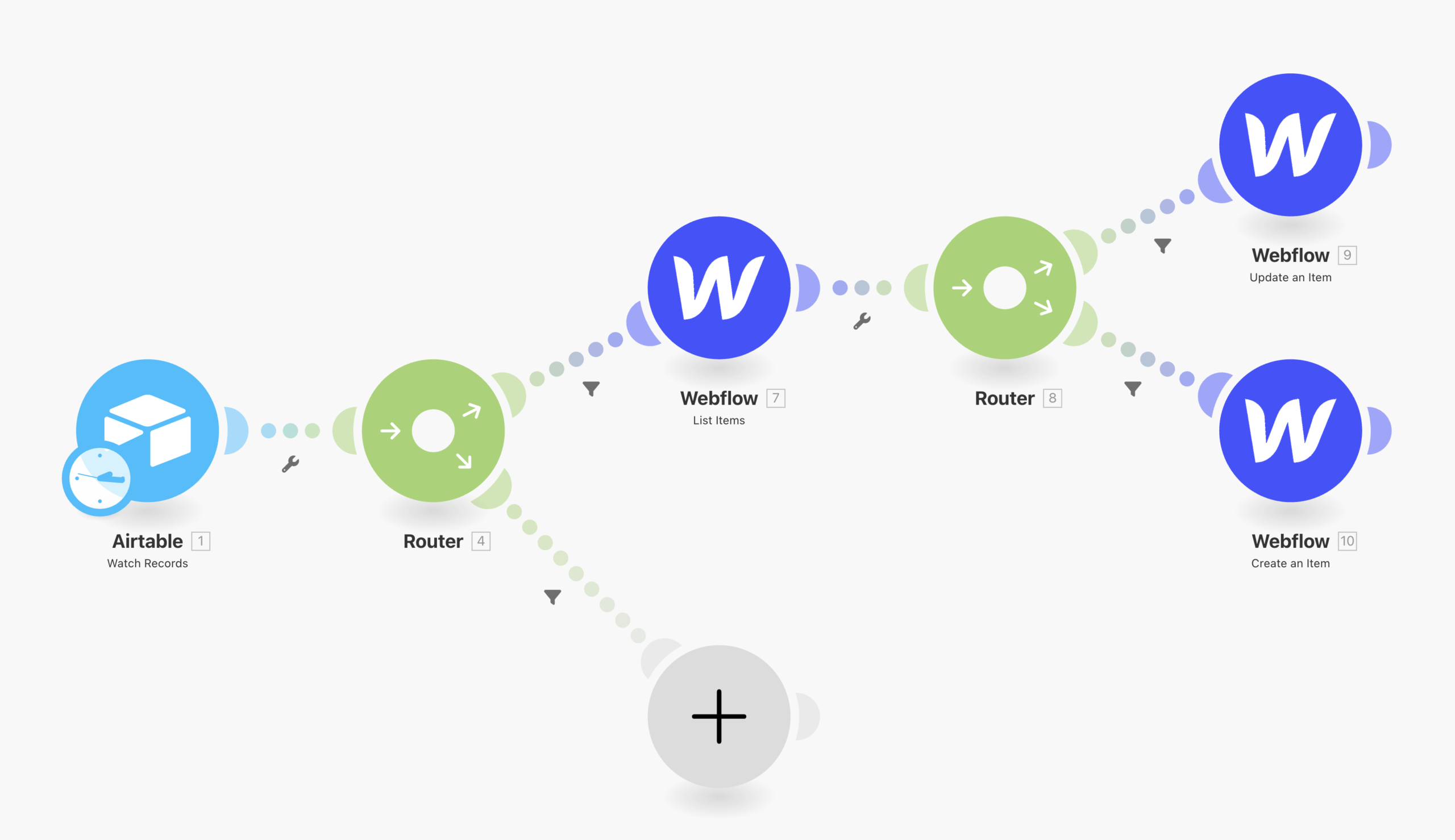
Routers and filters solve different problems in Make, but they are often used together. A router creates multiple possible paths. A filter decides whether a bundle is allowed to continue down a specific path.
Understanding that distinction is one of the easiest ways to make scenarios easier to read, cheaper to run and safer to maintain.
Make router vs filter in one sentence
Use a router when the same incoming data may need different processing paths. Use a filter when data should continue only if it meets a condition.
A router is the fork in the road. A filter is the gate on a road.
What a router does in Make
Make’s current documentation describes a router as a flow-control tool that branches a scenario into multiple routes. Each route can process the same incoming bundle differently, and filters can be placed on those routes to determine which data should pass.
Routers themselves do not consume credits. The modules that run after a router can consume credits according to Make’s current billing rules.
What a filter does in Make
A filter sits between steps and checks one or more conditions. If the bundle matches the conditions, it continues. If it does not match, that path stops for the bundle.
Filters are useful because they can prevent unnecessary downstream module runs. If a record clearly does not need an expensive API call, filtering it out before that module can save both processing and credits.
Example: lead routing
Imagine a form creates new leads and you need three outcomes:
- Enterprise leads go to the sales team.
- Small-business leads enter an automated nurture flow.
- Incomplete leads go to a review queue.
A router creates the three branches. Filters on the branches decide which lead qualifies for each destination.
Without a router, the scenario can become a long chain of conditional logic that is harder to understand and change.
Step 1: Filter as early as possible
Put cheap validation before expensive modules. If a record is missing a required email address, do not call an enrichment API first and discover the problem later.
An efficient order is often:
- Trigger.
- Basic validation filter.
- Router.
- Route-specific filters.
- External APIs and write operations.
This reduces waste and makes failures easier to locate.
Step 2: Use a router when destinations are meaningfully different
Do not add a router for every minor condition. Use it when the branches represent different business outcomes or processing chains.
Good router use cases include:
- route tickets by severity;
- send customers to different onboarding flows;
- process different file types with different modules;
- split leads by region or segment;
- handle success, review and exception paths separately.
If the only question is “should this bundle continue?”, a filter is usually enough.
Step 3: Remember that routes are sequential
Make’s current router documentation says routes are processed sequentially, not in parallel. The second route waits for the first route to finish before it is processed.
This matters when one branch is slow. A router is not a substitute for true parallel execution.
It also matters when the same bundle matches more than one route: depending on your filters, multiple routes can process that bundle in sequence.
Step 4: Make route filters mutually exclusive when appropriate
Sometimes you want exactly one outcome. In that case, design route conditions so a bundle cannot accidentally satisfy two branches.
For example, instead of:
- Route A: deal value > 10,000
- Route B: deal value > 5,000
use:
- Route A: deal value > 10,000
- Route B: deal value between 5,001 and 10,000
This prevents high-value deals from being processed by both routes unless that is intentional.
Step 5: Use a fallback route for everything else
Make supports marking a route as a fallback. The fallback route processes bundles that do not match the conditions on the other routes.
This is useful for unknown categories, unexpected values and safe default behavior.
For example, if tickets are routed as Critical, High and Normal, a fallback branch can send unrecognized priorities to manual review instead of silently losing them.
Step 6: Avoid duplicating expensive modules across branches
If every route needs the same enrichment call, ask whether that module belongs before the router. Duplicating it in three branches makes the scenario harder to maintain and can increase usage when multiple routes run.
Likewise, if only one route needs an AI module, keep that module inside that route rather than running it before the router for every bundle.
Step 7: Design with credits in mind
Make now uses credits as its billing unit. For many non-AI modules, one operation corresponds to one credit, while certain AI and usage-based features can consume credits differently.
The key design principle is still straightforward: every downstream module that does not need to run is potential waste.
Filters can reduce waste by stopping irrelevant bundles early. Routers do not consume credits themselves, but the branches they activate can create additional module runs.
Step 8: Keep complex conditions readable
A filter with twelve nested conditions can become difficult to debug. Break logic into named variables or clearer stages when necessary.
For high-value workflows, document each route in plain language:
- what enters the route;
- why it qualifies;
- what the route changes;
- what happens if it fails;
- whether another route can also run.
This makes future maintenance much easier.
Step 9: Add error handling after the routing logic
Routing decides where a bundle should go. Error handling decides what happens when a module on that route fails.
Do not confuse a fallback route with an error handler. A fallback route catches data that does not match other route conditions; it does not automatically recover failed API calls.
For retries, incomplete executions and recovery patterns, see our Make error handling guide.
Step 10: Test every branch deliberately
Before activating the scenario, create test records for each route and at least one record that should hit the fallback path.
Also test boundary values. If one route is “greater than 100” and another is “less than 100,” what happens at exactly 100?
Routing bugs often live at the edges of conditions.
Router vs chained filters
You can sometimes build the same business logic with a long linear chain of filters, but the scenario may become harder to reason about. A router is usually clearer when the process genuinely branches into separate outcomes.
Use chained filters for progressive qualification. Use routers for distinct destinations.
Router vs multiple scenarios
A router keeps related logic in one scenario. Separate scenarios can be better when branches have different schedules, ownership, permissions, failure policies or scaling needs.
If one branch becomes large enough to have its own lifecycle, it may deserve its own scenario.
How routers fit with webhooks
Webhooks often feed routers because one incoming event can require several outcomes. For example, an order webhook can route refunds, new orders and cancellations into different branches.
If you are deciding how the scenario should be triggered in the first place, read our Make webhooks vs polling guide.
Common mistakes
Adding routers when one filter would do
Branch only when the workflow genuinely has different paths.
Assuming routes run in parallel
Make’s router routes are processed sequentially.
Using overlapping filters unintentionally
A single bundle may qualify for more than one route if your conditions overlap.
Putting expensive modules before the filter
Validate early so irrelevant bundles do not consume unnecessary resources.
Using fallback as an error handler
Fallback handles unmatched data, not execution failures.
FAQ
Does a Make router consume credits?
Make’s current documentation says the router itself does not consume credits. Modules that execute on its routes may consume credits.
Can one bundle go down multiple routes?
Yes, if it matches multiple route filters. Design mutually exclusive filters when you want exactly one destination.
Do Make router routes run in parallel?
No. Current Make documentation states that routes are processed sequentially.
What is a fallback route?
It is a route that processes bundles that do not match the conditions of the other routes.
Should I put filters before or after a router?
Both can be useful. Use an early filter to reject data that should not enter the branching workflow at all, then route-specific filters to choose the appropriate branch.
Bottom line
Use filters to stop data that should not continue and routers to split valid data into distinct processing paths. Filter early, keep branch conditions explicit, add a fallback for unknown cases, remember that routes are sequential, and place expensive modules only where they are actually needed.
For broader platform choices, see n8n vs Make and Zapier vs Make.


