AI Marketing
Best AI Marketing Tools 2026: Content, SEO & Automation

The best AI marketing stack is usually a combination of specialized tools rather than one oversized platform. Copy.ai fits repeatable go-to-market workflows, Writesonic combines SEO and AI-search visibility, Canva handles rapid creative production, and Zapier connects the stack. This guide compares where each tool earns its place—and where paying for overlapping features becomes wasteful.
Quick comparison
| Tool | Best fit | Pricing starting point |
|---|---|---|
| Copy.ai | Go-to-market content and repeatable marketing or sales workflows | Chat: $29 monthly or $24/month annual; workflow tiers priced separately |
| Writesonic | SEO, generative-engine visibility tracking, and AI-assisted content operations | Paid plans from $79/month on annual billing |
| Canva Magic Studio | All-in-one design workflows that combine templates, brand assets, and AI creation tools | Free Canva plan available; AI limits vary by plan |
| Zapier | Connecting business apps and orchestrating AI-powered workflows at broad integration scale | Free plan; Professional from $19.99/month |
How this guide was evaluated
We compare public product capabilities, plan structure, workflow specialization, integration, export or deployment options, and the amount of human review the workflow still needs. Aiverio does not present fabricated benchmark scores or pretend that every feature was independently tested.
1. Copy.ai
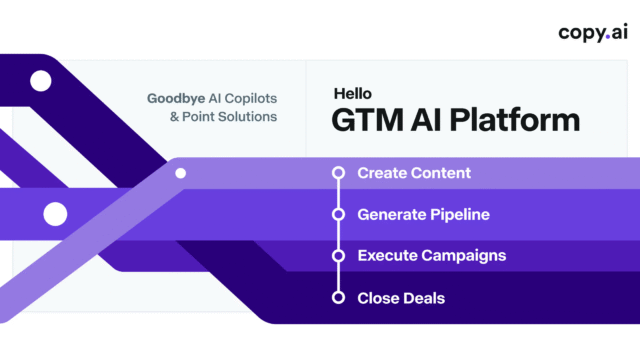
Copy.ai combines multi-model chat with workflow automation aimed at marketing, sales, and broader go-to-market teams.
Best for: Go-to-market content and repeatable marketing or sales workflows.
- Multi-model AI chat
- Marketing and sales workflows
- Reusable workflow automation
- Team collaboration
Watch for: Higher-scale workflow plans are expensive
2. Writesonic
Writesonic has evolved from a writing assistant into a broader SEO and AI-search visibility platform with content, auditing, brand monitoring, and agentic workflows.
Best for: SEO, generative-engine visibility tracking, and AI-assisted content operations.
- AI visibility tracking across major answer engines
- AI article and content workflows
- SEO site audits
- Brand and sentiment monitoring on eligible plans
Watch for: Current pricing targets professional teams more than casual writers
3. Canva Magic Studio
Magic Studio groups Canva’s AI-assisted creation and editing capabilities inside the broader design platform, making it useful for teams that already build social, presentation, and marketing assets in Canva.
Best for: All-in-one design workflows that combine templates, brand assets, and AI creation tools.
- AI-assisted design generation
- Image generation and editing tools
- Writing and rewriting assistance
- Presentation and social templates
Watch for: AI usage limits vary by plan and feature
4. Zapier
Zapier connects apps and business processes through no-code automation and increasingly combines those workflows with AI steps, agents, MCP, tables, and forms.
Best for: Connecting business apps and orchestrating AI-powered workflows at broad integration scale.
- Thousands of app integrations
- Multi-step workflows
- AI steps and AI fields
- Zapier Agents
Watch for: Task-based usage can become expensive at scale
How to choose
Start with the repeated job you want to improve. Eliminate products that fail a hard requirement such as a required integration, export format, privacy control, commercial-rights rule, deployment target, or budget. Then run the same representative task in the remaining options and record correction time as well as generation time.
Free vs paid plans
Free access is best used for evaluation. Before paying, identify the exact paid feature you need—higher limits, private generations, commercial rights, team controls, advanced exports, API access, more credits, or faster queues. Check the provider page immediately before purchase because AI pricing changes frequently.
Which AI marketing tool is best for each job?
- Copy.ai: best for repeatable go-to-market workflows, sales enablement, campaign content, and structured automation across marketing teams.
- Writesonic: best for teams combining SEO, AI-assisted content production, site audits, and visibility tracking across AI answer engines.
- Canva Magic Studio: best for fast creative production, social assets, presentations, ad variants, and brand-template workflows.
- Zapier: best for connecting the marketing stack and automating lead flow, campaign operations, reporting, approvals, and cross-app processes.
A practical stack for a small marketing team
- Use Canva for fast visual production and reusable brand templates.
- Use Writesonic or another dedicated content platform for search-focused briefs, articles, and AI-search visibility.
- Use Copy.ai when the main bottleneck is repeatable GTM workflows rather than one-off writing.
- Use Zapier to connect forms, CRM, email, spreadsheets, analytics, and approval steps.
- Keep final messaging, claims, targeting, and brand-sensitive assets under human review.
How to avoid paying for overlapping AI tools
Start by mapping your workflow before buying software. If one platform already handles drafting, SEO, and AI visibility, avoid adding a second tool that solves the same problem unless it materially improves quality or throughput. Likewise, a dedicated automation platform should replace manual handoffs rather than create another layer of maintenance.
A useful rule is to assign each tool one primary responsibility: content, design, automation, analytics, or governance. If two products have the same primary responsibility, compare them directly and keep only the one that removes more work.
Build a practical AI marketing stack
Start with one campaign or funnel rather than buying a complete stack at once. Map the work from input to approved output: capture the brief, research or draft, create the visual asset, route the work through the required apps, and review the final customer-facing material.
- Content: test whether the tool reduces research, drafting, or revision time for a real campaign.
- SEO: verify that recommendations improve relevance and clarity without adding keywords or claims that do not serve the reader.
- Creative: test whether templates, brand assets, and generated variations reduce production work.
- Automation: connect the repetitive handoffs only after the manual process is clear and the data fields are stable.
- Review: keep a human checkpoint for claims, pricing, targeting, regulated content, and customer-facing messages.
Track one complete cycle from brief to approved asset. Record setup time, revision time, failed attempts, platform usage, and the number of manual handoffs. A stack becomes easier to manage when every tool has a clearly defined job.
For adjacent decisions, see Best AI SEO Tools, Best AI Design Tools, and Best AI Automation Platforms.
Important limitations
AI marketing tools can accelerate research, drafting, personalization, and operations, but they can also amplify weak positioning, inaccurate claims, brand inconsistency, and low-quality automation. Keep human review for public claims, regulated industries, customer-facing communication, campaign targeting, and high-impact CRM or publishing actions.
Related Aiverio guides
AI Marketing Software Comparison
For searches such as AI marketing software comparison and best AI software for digital marketing, compare the complete marketing workflow instead of collecting overlapping tools. Content generation, SEO research, design, automation, analytics and approval have different requirements.
| Marketing job | What to compare |
|---|---|
| Content | Briefing, drafting, editing, brand control and approval |
| SEO | Keyword research, SERP analysis, optimization workflow and reporting |
| Creative | Image or video generation, brand consistency, editing and exports |
| Automation | Triggers, integrations, approvals, reliability and operating cost |
For a small team, first map the existing stack and remove duplicated capabilities before adding another subscription. Compare actual outputs from the same brief and campaign requirements.
Bottom line
There is no need for one tool to handle every part of marketing. Canva is strongest for creative production, Writesonic for SEO and AI-search workflows, Copy.ai for GTM automation, and Zapier for connecting the stack. The best setup is usually a small number of clearly assigned tools rather than a large collection of overlapping AI subscriptions.
Last reviewed: 2026-09-02. Product features and pricing can change.